
Set Claude Up to Work Like Your Firm Does.
In six practical lessons, you’ll turn a blank Claude account into an AI workspace that understands your firm, follows your processes, and takes repetitive work off your plate.
You're not learning a chatbot. You're building a system.
★★★★★ 5.0 on Google · 8,500+ designers trained · Trusted by NCIDQ · ASID · IDCEC
WHO'S INSIDE
Who is Claude Foundations for?
Whether you’ve never opened Claude or you’ve been using it like a slightly better search bar, this course shows you how to turn it into a practical workspace for your design business—with your firm’s context, files, and repeatable processes built in.
✓
Designers New to Claude
Start with account setup and build your workspace lesson by lesson. No technical experience or prior Claude knowledge required.
✓
Designers Already Using Claude
You’ve been chatting with Claude, but you’re still starting from scratch each time. Learn how to give it lasting context, reusable processes, connected files, and real work to complete.
✓
Firm Owners & Principals
Capture your preferred process once, then give your team a repeatable way to complete the task with the same instructions, standards, and expectations.
✓
Anyone Tired of Re-Explaining Themselves
Give Claude the essential context about your firm once, so you can stop retyping your services, voice, standards, and preferences in every new conversation.
6 step-by-step lessons + 2 bonus trainings · Templates and guided implementation resources · Lifetime access · $197 one time
LESS EXPLAINING. MORE DELEGATING.
What changes when Claude is set up properly
A basic chatbot answers one question at a time. A properly configured Claude workspace can retain your firm’s context, work from connected information, and follow repeatable instructions—so you stop rebuilding the process in every conversation.
Stop Starting From Scratch
Build reusable context around your firm, voice, services, and standards so relevant conversations begin with the background Claude needs
Turn Your Process Into a Reusable Skill
Capture the instructions, steps, and standards behind a recurring task so you and your team can run it more consistently.
Delegate Real Work
Give Cowork access to the files it needs, assign a multi-step task, and return to a finished first draft. Then learn how to schedule a recurring task so it can run automatically.
INTRODUCING
The Claude Foundations Course
The step-by-step system for turning Claude from an empty chat window into a udesign assistant for your firm.
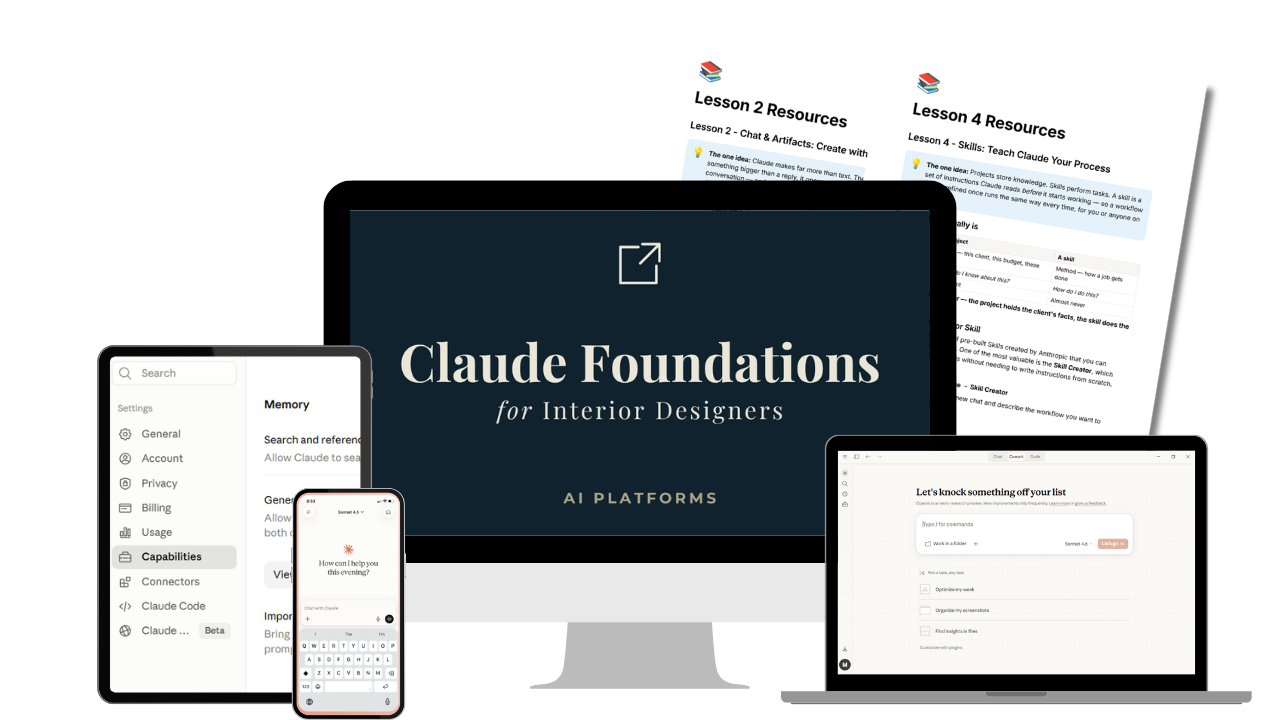
What's Included
When you join, you get instant access to:
✓ 6 step-by-step video lessons across four modules - each one builds directly on the setup you completed before it.
✓ Bonus lesson: Claude in Chrome — put Claude to work inside your browser, scanning your calendar for client meetings and setting up scheduled tasks.
✓ Bonus lesson: Claude Design — use your brand assets to create presentations, one-pagers, and interactive web page mock-ups.
✓ Complete Notion implementation guide with action steps, prompts, and resources for every lesson.
✓ The interactive Claude Roadmap — a visual guide to the core Claude products, features, and when to use each one.
✓ The Firm Profile skill — a guided interview that helps create reusable context files for your firm.
✓ A working Claude Project, Artifact, Skill, firm context files, connected workspace, and automated task built inside your own account as you progress
✓ Lifetime access — go at your own pace, revisit any lesson at any time
✓ 1:1 email support whenever you have questions
WHAT YOU'LL LEARN
The Curriculum
Four progressive modules plus two bonus lessons. You’ll build directly inside your own Claude account, so by the final lesson your core setup is already in place.
Module 1: Getting Oriented
Understand what Claude actually is, and get set up properly before any client work goes in. You'll meet the four Claude products, choose the right plan, install it across web, desktop and mobile, and fix your privacy settings once so you never think about them again.
Lesson
- Welcome, Setup & Your Claude Roadmap
Module 2: Working with Claude
Start producing real deliverables, then give Claude the context to do it well. You'll build an interactive furniture budget estimator, turn a static design presentation into a live web page, create your first client Project, and connect the tools you already use.
Lessons
- Chat & Artifacts — Create with Claude
- Projects & Connectors — Give Claude Context
⭐You'll Build: An Interactive Budget Estimator, a Live Presentation Page & Your First Client Project
Module 3: Train Claude
Teach Claude your process and your firm. You'll capture a task you repeat weekly as a reusable Skill, then run the Firm Profile interview so every future project starts with full context about your business.
Lessons
- Skills — Teach Claude Your Process
- Build Your Firm Profile
⭐You'll Build: Your First Custom Skill & Your Firm Profile Context Files
Module 4: Delegating
Hand over real work and walk away. You'll give Cowork access to a safe folder on your computer, run a weekly client update end to end, then put it on a schedule so it happens without you.
Lesson
- Cowork — Put Claude to Work
⭐You'll Build: A Scheduled Cowork Task That Runs Your Weekly Client Update
Bonus: Claude in Chrome
Move from Claude telling you what to do to Claude doing it. Working inside your browser, you'll watch it scan your calendar at the start of each week or month, pull out every client meeting, and set up scheduled tasks so the prep happens on its own.
Bonus lesson
- Claude in Chrome — Take Action in Your Browser
⭐You'll Build: An Automated Calendar Scan That Schedules Your Client Meeting Prep
Bonus: Claude Design
Create beautiful presentations, one-pagers and websites from a description. Load in your logo, fonts and brand colors, then build a client presentation, a one-page service overview or a landing page mockup.
Bonus lesson
- Claude Design — Create Beautiful Presentations, Websites & More
⭐You'll Build: A Branded Interactive Proposal Page Mockup
BUILT FOR A DESIGN PRACTICE
Works with the tools you already use.
Connects to your existing stack
Connect Claude to supported tools such as Google Drive, Gmail, and Notion so it can work from information already stored in your existing systems—without rebuilding your entire workflow somewhere new.
Requires a paid Claude plan
A paid Claude plan is required. Claude Pro is the minimum plan needed to follow all workflows taught in the course. Your Anthropic subscription is purchased separately and is not included in the course price.
Built for non-techies
No coding or technical setup experience required. Every workflow is demonstrated step by step using realistic interior design examples, with clear action steps to complete inside your own account.
DON'T TAKE MY WORD FOR IT
★★★★★ 5.0 from designers already learning AI with me
★★★★★
"The best money I have ever spent for my business. Stacy is an amazing teacher and the course is concise, extremely well organized, and easy to follow with plenty of action items along the way."
— Erica Galles, via Google
★★★★★
"Stacy is phenomenal! She led a session at our commercial design event and a private training for our team — and it completely shifted how our designers think about AI."
— Chelsea McGowan, via Google
★★★★★
"Packed with great information and formatted in a clear, smooth, easy-to-follow format. Not overwhelming, and I love that you can revisit the course any time."
— Jodi Mason, Local Guide via Google
★★★★★
"Excellent training! It's fun and Stacy makes it easy to understand. I would highly recommend this course to any designer who wants to keep up."
— Kathy Selvidge Tonner, RID, via Google

WHY LEARN CLAUDE FROM ME
Not another AI educator—a designer who speaks your language.
Over the past three years, I've tested hundreds of AI tools, trained more than 8,500 interior designers, and worked with firms of every size to understand where AI actually saves time—and where it doesn't. Claude is the platform I rely on every day because it's the one that fits how design firms really work.
Before teaching AI full-time, I spent more than a decade in commercial interiors and later led AI strategy globally at Steelcase. I've been on both sides: running projects and helping organizations adopt AI at scale.
Every workflow in this course was built, tested, and refined specifically for interior designers. This isn't a tour of Claude's features, it's a proven system for setting Claude up to become a practical part of your design practice.
— Stacy Thorwart, Founder, The Intelligent Designer
FAQs
Frequently Asked Questions
I've never used Claude before. Can I still take this course?
Do I need a paid Claude plan?
How is this different from your AI Fundamentals course?
Do I need any technical background?
How long does the course take to complete?
Will this work for a team, not just a solo designer?
Claude changes constantly. Will the course go out of date?
What's your refund policy?
JOIN TODAY
Stop feeling behind on AI. Start using it properly.
✓ Lifetime access · ✓ 1:1 email support · ✓ Notion learning guide · ✓ One-time payment
HOW TO PURCHASE
One seat, or seats for multiple designers
- Need seats for more than one designer? Set the quantity needed below — $197 each.
- Paste each designer's name and email in the field at checkout, or email me. Each designer receives their own login.
⭐ BEST VALUE
Upgrade to the Hub
Get instant access to the full library of AI courses plus the private student community (2K+ designers inside) for $397/year. Buy this course today and your $197 is credited toward the membership, so you can upgrade now or later and only pay the difference.